Help Syntax Problem Hour Assessment Ends Q43833175
Can you help me with the syntax of this problem. I only have anhour before my assessment ends.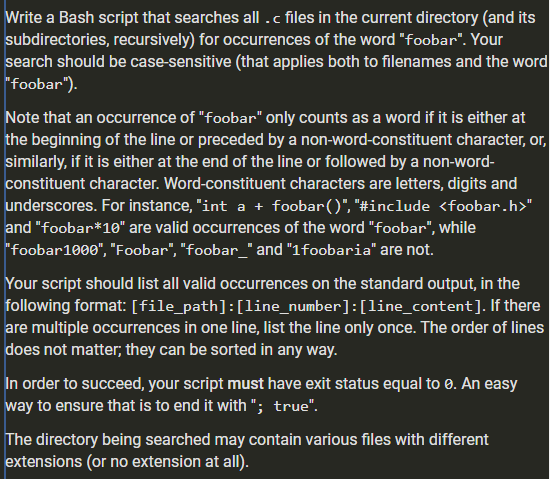
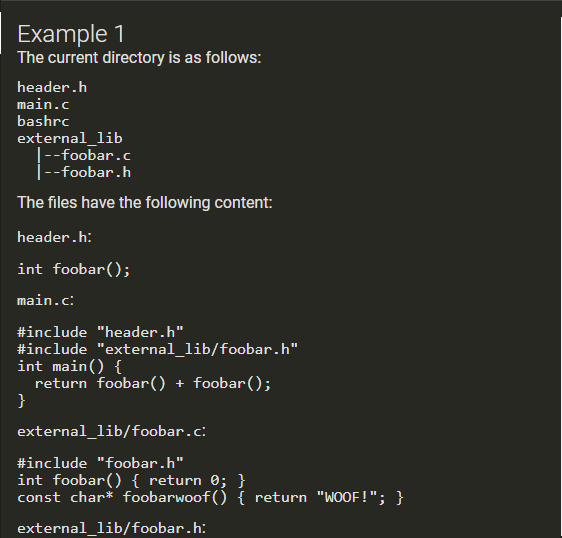
Write a Bash script that searches all .c files in the current directory (and its subdirectories, recursively) for occurrences of the word “foobar”. Your search should be case-sensitive (that applies both to filenames and the word “foobar”). Note that an occurrence of “foobar” only counts as a word if it is either at the beginning of the line or preceded by a non-word-constituent character, or similarly, if it is either at the end of the line or followed by a non-word- constituent character. Word-constituent characters are letters, digits and underscores. For instance, “int a + foobar(‘,’#include <foobar.h>” and “foobar*10” are valid occurrences of the word “foobar”, while “foobar 1000”, “Foobar”, “foobar_” and “1foobaria” are not. Your script should list all valid occurrences on the standard output, in the following format: [file_path]:[line_number]:[line_content]. If there, are multiple occurrences in one line, list the line only once. The order of lines does not matter; they can be sorted in any way. In order to succeed, your script must have exit status equal to 0. An easy way to ensure that is to end it with “; true”. The directory being searched may contain various files with different extensions (or no extension at all). Example 1 The current directory is as follows: header.h main.c bashrc external_lib 1–foobar. 1–foobar.h The files have the following content: header.h: int foobar(); main.c. #include “header.h” #include “external_lib/foobar.h” int main() { return foobar() + foobar(); external_lib/foobar.c: #include “foobar.h” int foobar() { return 0; } const char* foobarwoof() { return “WOOF!”; } external_lib/foobar.h: int foobar(); bashrc CXXFLAGS += foobar Your script should write to standard output the following content: 1./main.c:2:#include “external lib/foobar.h” 1./main.c:4; return foobar() + foobar ; 1./external lib/foobar.c:1:#include “foobar.h” ./external_lib/foobar.c:2:int foobar() { return 0; } Example 2 There is only one file in the current directory, named main.c: int foobar(int n) { if (n == 0) return 1; if (n == 1) return 1; return foobar(n-1) + foobar(n-2); Your script should write to standard output the following content: ./main.c:1:int foobar(int n) { 1-/main.c:4: return foobar(n-1) + foobar(n-2): Example 3 The directory looks as follows: foo.c foobar.cx main.cc dir.cl (empty directory) The files have the following content: foo.c: int Foobar(int _foobar_); main.cc const int foobar = 0; int main() { return foobar; In this example, your script should write nothing. Show transcribed image text Write a Bash script that searches all .c files in the current directory (and its subdirectories, recursively) for occurrences of the word “foobar”. Your search should be case-sensitive (that applies both to filenames and the word “foobar”). Note that an occurrence of “foobar” only counts as a word if it is either at the beginning of the line or preceded by a non-word-constituent character, or similarly, if it is either at the end of the line or followed by a non-word- constituent character. Word-constituent characters are letters, digits and underscores. For instance, “int a + foobar(‘,’#include ” and “foobar*10” are valid occurrences of the word “foobar”, while “foobar 1000”, “Foobar”, “foobar_” and “1foobaria” are not. Your script should list all valid occurrences on the standard output, in the following format: [file_path]:[line_number]:[line_content]. If there, are multiple occurrences in one line, list the line only once. The order of lines does not matter; they can be sorted in any way. In order to succeed, your script must have exit status equal to 0. An easy way to ensure that is to end it with “; true”. The directory being searched may contain various files with different extensions (or no extension at all).
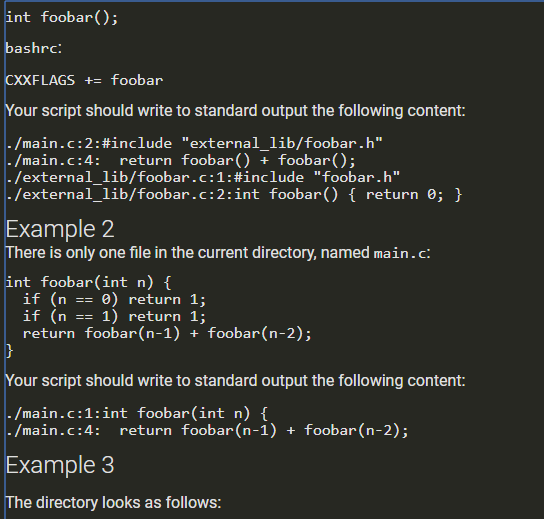
Example 1 The current directory is as follows: header.h main.c bashrc external_lib 1–foobar. 1–foobar.h The files have the following content: header.h: int foobar(); main.c. #include “header.h” #include “external_lib/foobar.h” int main() { return foobar() + foobar(); external_lib/foobar.c: #include “foobar.h” int foobar() { return 0; } const char* foobarwoof() { return “WOOF!”; } external_lib/foobar.h:
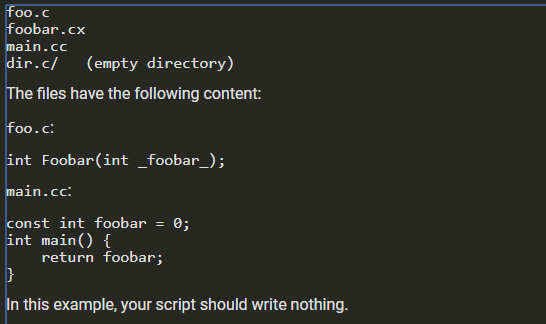
int foobar(); bashrc CXXFLAGS += foobar Your script should write to standard output the following content: 1./main.c:2:#include “external lib/foobar.h” 1./main.c:4; return foobar() + foobar ; 1./external lib/foobar.c:1:#include “foobar.h” ./external_lib/foobar.c:2:int foobar() { return 0; } Example 2 There is only one file in the current directory, named main.c: int foobar(int n) { if (n == 0) return 1; if (n == 1) return 1; return foobar(n-1) + foobar(n-2); Your script should write to standard output the following content: ./main.c:1:int foobar(int n) { 1-/main.c:4: return foobar(n-1) + foobar(n-2): Example 3 The directory looks as follows:
foo.c foobar.cx main.cc dir.cl (empty directory) The files have the following content: foo.c: int Foobar(int _foobar_); main.cc const int foobar = 0; int main() { return foobar; In this example, your script should write nothing.
Expert Answer
Answer to Can you help me with the syntax of this problem. I only have an hour before my assessment ends….
OR